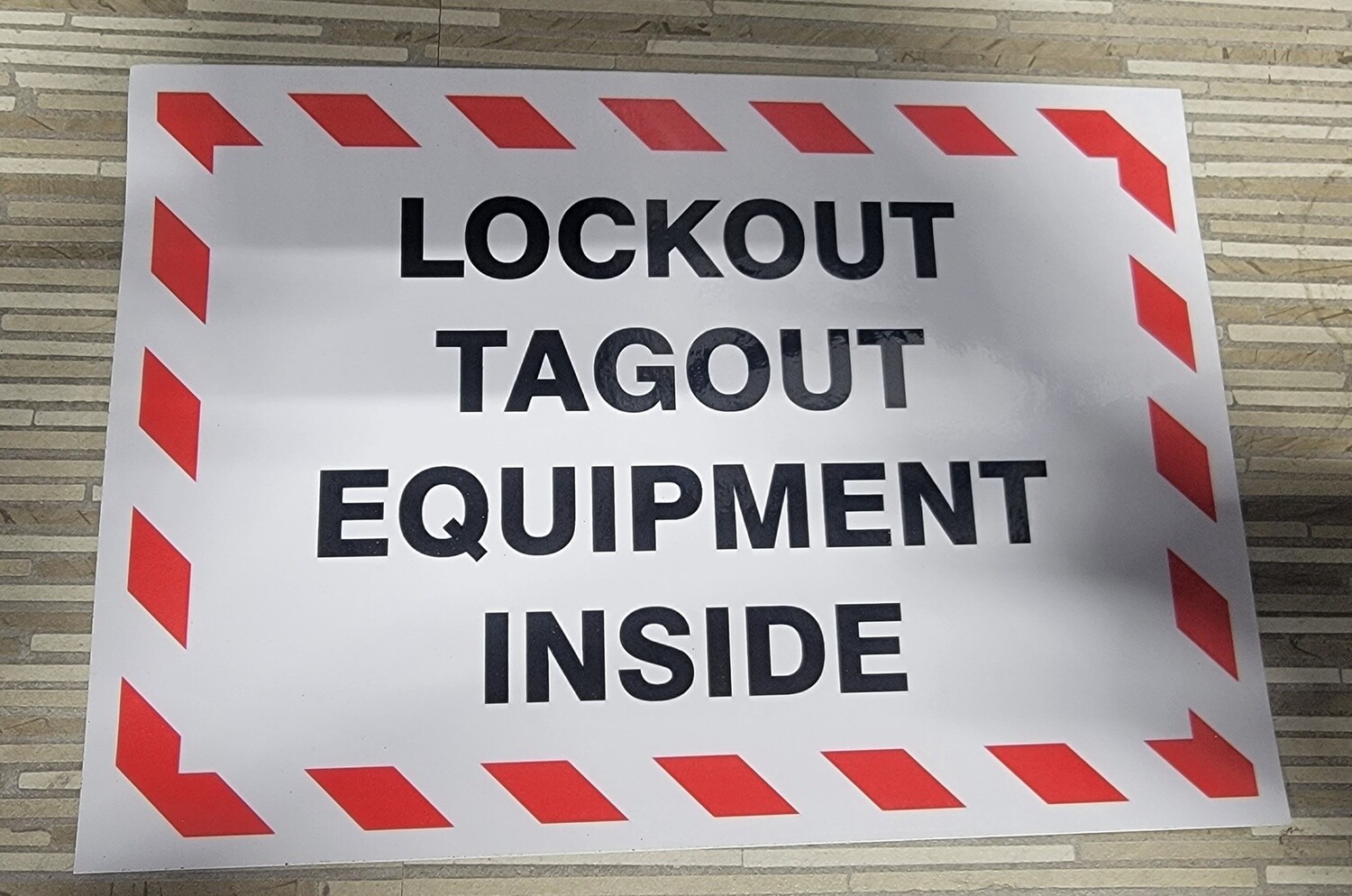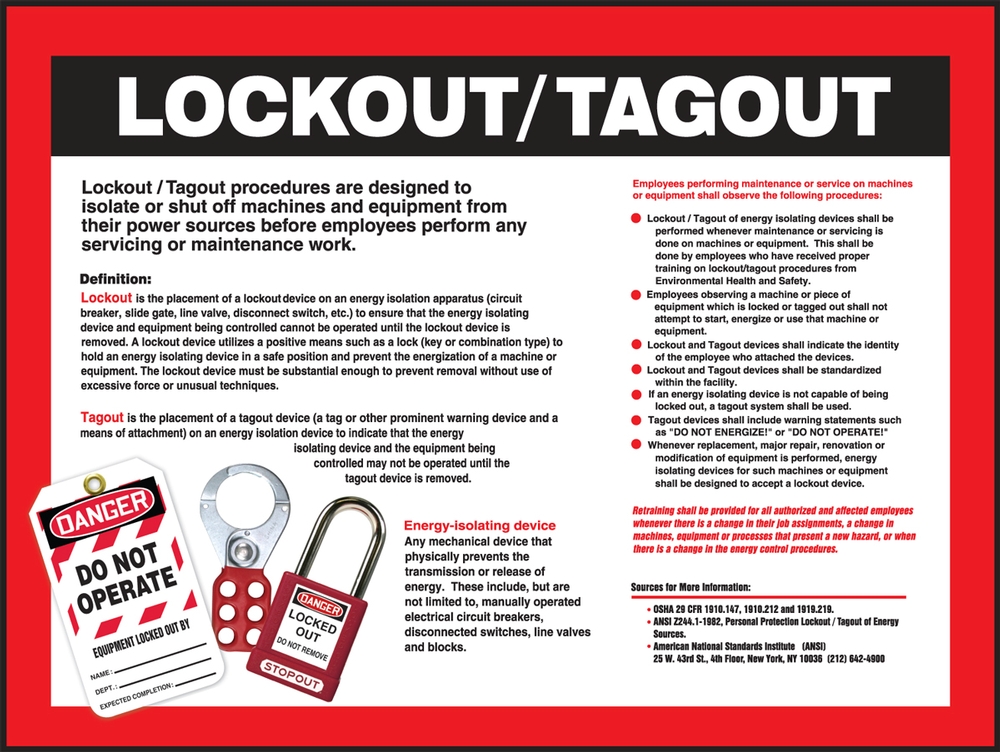
Energy failures don’t make headlines—until someone gets hurt. One missed step in isolating a machine can lead to crushing injuries, electrocution, or worse. That’s why lockout tagout (LOTO) procedures aren’t just paperwork—they’re life-saving protocols. And at the heart of every reliable LOTO program is a well-constructed lockout tagout procedures template.
This isn’t about checking boxes. It’s about creating a repeatable, foolproof system that ensures machines stay de-energized during maintenance. Whether you manage a small workshop or a multi-plant operation, a standardized template reduces confusion, prevents accidents, and keeps you aligned with OSHA standards.
Below, we’ll walk through what a real-world LOTO template should include, how to adapt it across equipment types, and where most companies fall short—even when they think they’re compliant.
Why a LOTO Template Is Non-Negotiable
Templates eliminate guesswork. Without one, every technician might follow a slightly different process—some skipping steps, others adding redundant ones. The result? Inconsistency breeds risk.
A solid lockout tagout procedures template does three things:
- Standardizes steps across all energy sources
- Documents accountability (who locked, when, and why)
- Scales across multiple machines without reinventing the wheel
For example, imagine a maintenance team servicing a hydraulic press. One tech assumes the main valve cut-off is enough. Another knows residual pressure must be bled. The template settles the debate with clear instructions—every time.
OSHA’s 29 CFR 1910.147 doesn’t mandate a specific format, but it does require written procedures for servicing equipment with unexpected energization risks. A template turns that requirement into action.
Core Components of a Lockout Tagout Procedures Template
A generic form won’t cut it. Your template must reflect your equipment, environment, and workforce. Still, all effective LOTO templates share these essential sections:
#### 1. Equipment Identification - Machine name, ID number, location - Primary and secondary energy sources (electrical, hydraulic, pneumatic, thermal, chemical)
Example: Conveyor Line 3B — Powered by 480V motor, spring tension, and compressed air lines.
#### 2. Authorized Personnel - Names or roles permitted to perform LOTO - Training verification dates (critical for audits)
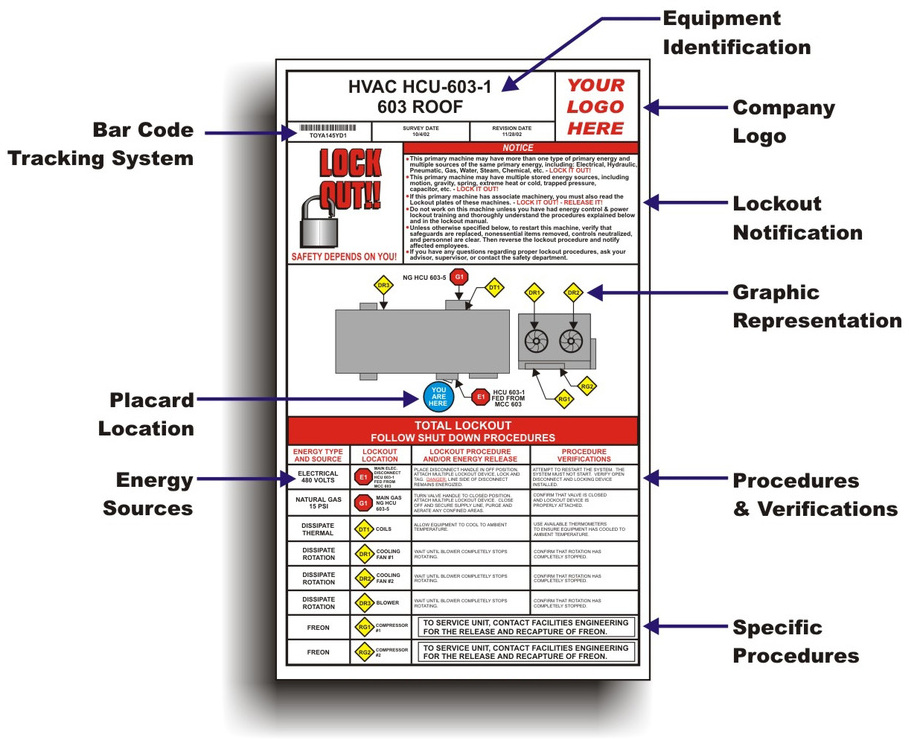
- #### 3. Step-by-Step Isolation Steps Break it down—chronologically:
- Shut down equipment using normal controls
- Isolate all energy sources (circuit breakers, valves, disconnects)
- Apply lockout devices (one lock per person)
- Release or block stored energy (bleed lines, block moving parts)
- Verify zero energy state (test start button, pressure gauge)
Common mistake: Skipping verification. Technicians assume “if it’s locked, it’s safe.” But faulty locks or bypassed circuits exist. Always test.
#### 4. Tagging Protocol - Tags must include: - Name of person applying lock - Date and time - Reason for lockout - Warning message (“Do Not Operate” or “Under Maintenance”)
Tags are secondary to locks but vital for communication—especially during shift changes.
#### 5. Restoration Procedure Just as important as shutdown. Include: - Confirming machine is clear of tools and personnel - Removing locks only by the person who applied them - Re-energizing in reverse order of shutdown
Red flag: Group lockout without a designated coordinator. Each worker must place their own lock. A hasp with multiple lock stations and a central checklist prevents premature restarts.
#### 6. Emergency Exceptions Define what happens if a lock is lost or a worker is unavailable. Most sites use a documented override process involving supervisors and sign-offs.
Real-World Use Cases: Adapting the Template
One-size-fits-all doesn’t work in industrial settings. Here’s how to tailor your LOTO template across scenarios:
#### Case 1: Multi-Energy Machine (e.g., CNC Press) - Energy sources: Electrical, hydraulic, mechanical - Template must include steps to: - Depressurize hydraulic lines - Secure flywheels with mechanical pins - Lock out control circuit and main power disconnect
#### Case 2: Batch Process Equipment (e.g., Chemical Reactor) - Hazards: Residual chemical energy, thermal expansion - Additional steps: - Flush and neutralize lines - Confirm temperature stabilization - Use chemical-specific tags with hazard symbols
#### Case 3: Equipment with Remote Start Capability - Risk: Unauthorized restart via PLC or remote panel - Fix: Template requires locking out both local and remote control points - Add step: Disable SCADA commands during maintenance window
In each case, the base template stays consistent—but the energy control steps are customized. This balance of uniformity and specificity is what makes templates scalable.
Common Template Flaws That Undermine Safety
Even documented procedures fail when poorly designed. Watch for these pitfalls:
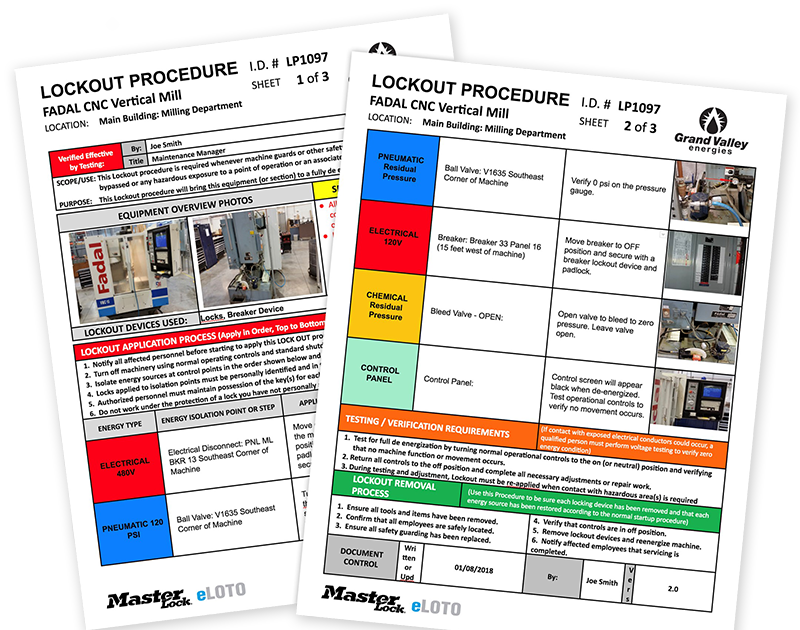
- Vague language – “Turn off power source” is useless. Specify the exact disconnect location (e.g., “Switch CB-4 in Panel B2”).
- No visual aids – A wiring diagram or isolation map increases clarity. Include schematics in the template appendix.
- Assumed knowledge – Never assume workers know where energy sources are. List every valve, breaker, and bleed point.
- Infrequent updates – Equipment changes, but templates don’t. Review procedures annually or after modifications.
- No verification step – If it’s not written to test for zero energy, it’s not OSHA-compliant.
Workplace tip: Conduct a “dry run” with the maintenance team before finalizing a new template. Have them follow it on an actual machine—without locking out—to spot gaps.
Template Tools & Resources
You don’t need to build from scratch. Several platforms offer editable lockout tagout procedures templates—some free, others integrated into safety management systems.
Here are five practical options:
| Tool | Type | Key Feature | Best For |
|---|---|---|---|
| Creative Safety Supply LOTO Generator | Web-based | Drag-and-drop form builder with OSHA alignment | Quick setup for small teams |
| Lockout Tagout Pro (by Brady) | Software | Mobile app with digital checklists and photo logs | Mid to large facilities |
| EHS Insight | EHS Platform | Full audit trail, training tracking, template library | Enterprise compliance |
| SafeStart LOTO Templates | PDF/Word | Free downloadable templates by equipment type | Budget-conscious shops |
| Foster Wheeler LOTO Builder | Internal-use model | Customizable with site-specific workflows | Companies with in-house EHS teams |
Choose based on your need for mobility, audit support, or integration with training records. Even free templates should be edited to match your machines—never use them verbatim.
Implementing the Template: From Paper to Practice
A perfect template fails without proper rollout. Follow this workflow:
- Map all equipment with hazardous energy
- Identify energy sources for each (don’t guess—verify)
- Draft procedures using your template structure
- Review with maintenance staff for practicality
- Train authorized employees—document completion
- Audit annually with a mock lockout exercise
Pro insight: Use color-coded lockout kits by department. Red for electrical, blue for hydraulic. Reduces confusion during multi-team jobs.
Also, store templates where they’re used—on clipboards at machine stations or in a digital system accessible via tablets on the floor. If it’s not convenient, it won’t be followed.
Closing: Turn Compliance Into Culture
A lockout tagout procedures template is more than a document—it’s a commitment to safety. The best templates are living tools: updated, tested, and owned by the people who use them.
Start with a strong structure. Customize for your machines. Train rigorously. Audit consistently.
Then, when a technician reaches for that lock, they’re not just following steps—they’re part of a culture that values life over speed.
Build your template. Test it. Improve it. Repeat.
Frequently Asked Questions
What should a lockout tagout procedure include? A complete procedure must identify the equipment, list energy sources, detail shutdown and isolation steps, include verification of zero energy, and outline the re-energization process.
Who can perform lockout tagout? Only authorized employees trained in energy control procedures. They must understand the hazards, know isolation points, and be certified by the employer.
Can tags be used without locks? No. Tags are warnings, not physical restraints. OSHA requires lockout devices whenever possible. Tags alone are only allowed in specific exceptions, like during shift changes with documented procedures.
How often should LOTO procedures be reviewed? At least annually, or whenever equipment, processes, or personnel change. Regular audits ensure accuracy and compliance.
Can digital LOTO systems replace paper templates? Yes, if they provide equivalent control and documentation. Digital systems with checklists, photo verification, and electronic signatures are acceptable under OSHA when properly implemented.
Do all machines need a LOTO procedure? Only those with potential for unexpected energization during service. Simple devices with a single energy source and no stored energy may be exempt under OSHA’s “minor servicing” exception (e.g., clearing a jam with normal controls).
What’s the difference between lockout and tagout? Lockout uses a physical lock to prevent restart. Tagout uses a warning tag. Lockout is required when feasible; tagout is secondary and less reliable.
FAQ
What should you look for in Lockout Tagout Procedures Template: A Practical Guide? Focus on relevance, practical value, and how well the solution matches real user intent.
Is Lockout Tagout Procedures Template: A Practical Guide suitable for beginners? That depends on the workflow, but a clear step-by-step approach usually makes it easier to start.
How do you compare options around Lockout Tagout Procedures Template: A Practical Guide? Compare features, trust signals, limitations, pricing, and ease of implementation.
What mistakes should you avoid? Avoid generic choices, weak validation, and decisions based only on marketing claims.
What is the next best step? Shortlist the most relevant options, validate them quickly, and refine from real-world results.